
The Easy Way
Right now, the easiest way to get PLS is to swap from ETH using ChangeNOW.
You'll need a wallet that can store PLS, like Internet Money or MetaMask.
Powered by ChangeNOW.io
To get started, you’ll need to set up an Internet Money wallet or use other popular PulseChain-compatible wallets like MetaMask or Rabby.
Internet Money is a self-custodial wallet that is native to PulseChain.

To install it, head to InternetMoney.io and click Download the Wallet.

Then click Add to Chrome.
Navigate to the Extensions tab on Chrome and click on the Internet Money icon to open your new wallet.

Acknowledge the terms and click Create New Wallet.
Set up a secure password. You’ll need this whenever you open your wallet.
Your password must contain a minimum of 10 characters.

Your seed phrase is a unique string of words that allows you to recover and import your wallet if you lose access to your device.
It’s incredibly important to write down your seed phrase somewhere physical that only you have access to. Never store your phrase on an internet-connected device.
If someone gains access to your seed phrase, they will have full control over your wallet.
At the same time, if you lose your seed phrase, you won’t be able to recover your coins.
Now that you’ve got your wallet, let’s get crypto!
The fastest way to get PLS is to swap from Ethereum (ETH). If you don’t already have ETH in your wallet, here’s a fast way to buy it.
Head to your crypto wallet and copy your full Ethereum wallet address — we’ll need it in the next few Tasks.

On Internet Money, you can find your wallet address under your account.
Click the copy icon to copy it to your clipboard.
Head to ChangeNOW.io and click on the Buy/Sell Crypto tab.

Enter the traditional currency you already have and choose ETH as the asset you want to buy. Then enter the amount you want to exchange.
When you’re ready, click Buy to proceed.
At this stage, confirm the amount you want to buy and paste the wallet address that you copied in Task 1.

Triple check that your wallet address matches and then click Confirm
At this stage, you’ll likely need to complete a process known as Know Your Customer (KYC). It’s a legal requirement that involves entering information that exchanges can use to verify your identity.
It can be an annoying process, but you’ll only need to do it once.

Once you’re done, enter your payment details and confirm your order by clicking Confirm.
The hard part is officially over! After a few minutes, the ETH you bought will be visible in your wallet.
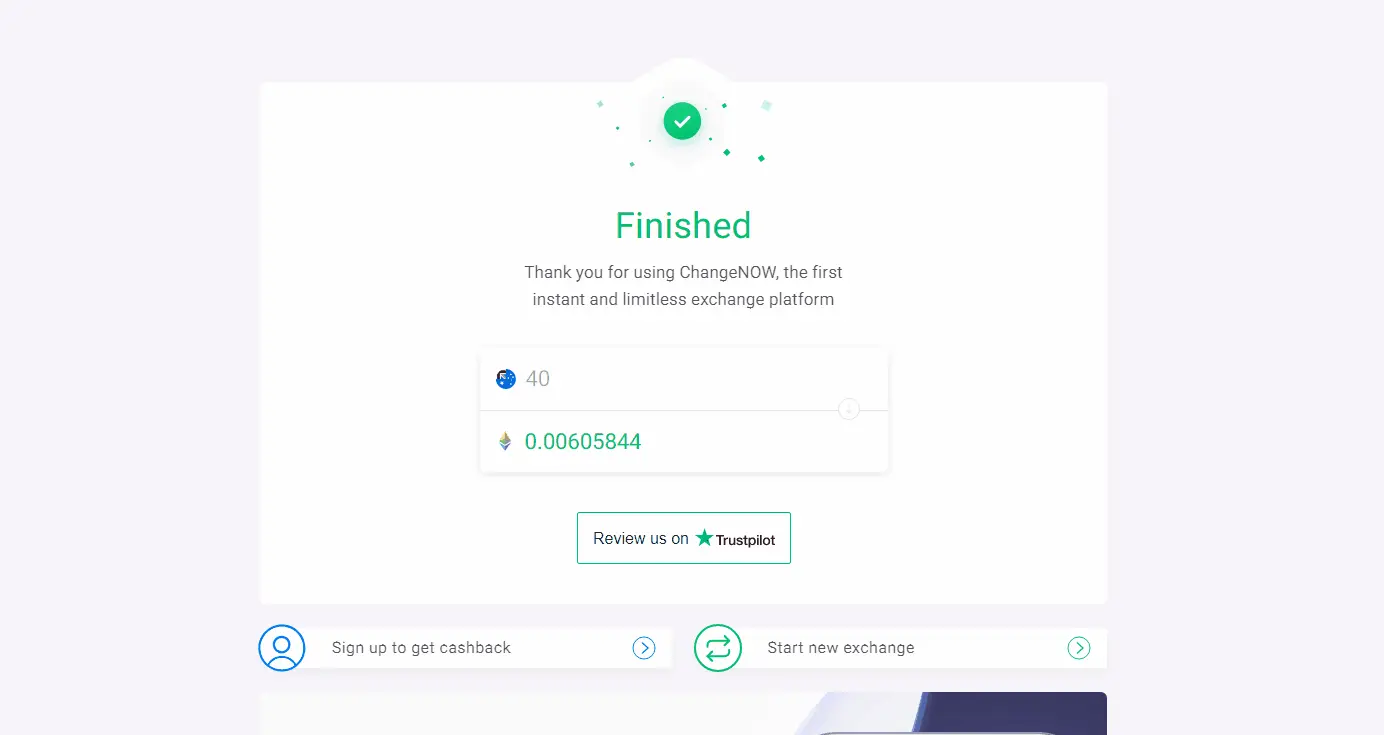
Now, you're just a few moments away from owning PLS!
Head to ChangeNOW.io, or use the widget at the top of this page, and select ETH as your sending currency and PLS as your receiving currency.

Click Exchange to continue.
Enter the wallet address where you’ll be receiving your coins. Just make sure you’re using a wallet that is compatible with PulseChain — like Internet Money, Rabby, or MetaMask.
If you don’t have your wallet address on hand, you can find it in your Internet Money wallet under the Wallets tab.
Click Confirm when you’re ready.

At this stage, ChangeNOW will give you an address where you can send your ETH to immediately swap it for PLS.

Copy this address to your clipboard and then head back to your wallet.
All you have to do now is send ETH from your wallet to the exchange. First, open your wallet and select your account.

Click the Send button and select ETH as your chosen token. Click Next.
Now, paste the address that you copied from ChangeNOW. Double check that you’re sending your coins to the right address.
Finally, enter the amount you’ll be sending and click Confirm.
Once you’ve sent ETH from your wallet to ChangeNOW, you’ll just have to wait for the transaction to be confirmed.

This shouldn’t take too long. Just leave the page open so that you know when it’s done.
Once your transaction has gone through, your PLS will be sent straight to your wallet. In other words: you now own PLS!

To keep an eye on your PLS balance, click the NETWORK button in the top left corner of your Internet Money wallet.
Select PulseChain Mainnet and click Yes to change networks.
Now, your PLS balance should be visible on your home page.
For an alternate way to buy PLS, through the PulseChain Bridge, check out this guide.
But your journey is only beginning…
You’ve just unlocked access to innovative projects on PulseChain that can help you take control of your Web3 identity, earn passive income, and unlock true financial freedom.
Head to the Ecosystem page now to find your new favorite project.
